Choose the PDF Reader & Editor: Xodo APK for your device
File verification, APK for arm64-v8aSignature matches the developer’s certificate
Unmodified file: same certificate as this app’s versions from the official app store, signed by Xodo Technologies Inc.. A signature shows who signed the file, not how the app behaves.
App permissions
Asks first: 4, Special access: 1, Granted automatically: 12
File verification, APK for armeabi-v7aSignature matches the developer’s certificate
Unmodified file: same certificate as this app’s versions from the official app store, signed by Xodo Technologies Inc.. A signature shows who signed the file, not how the app behaves.
App permissions
Asks first: 4, Special access: 1, Granted automatically: 12
File verification, APK for x86Signature matches the developer’s certificate
Unmodified file: exactly the file the official app store serves, with the developer’s certificate, signed by Xodo Technologies Inc.. A signature shows who signed the file, not how the app behaves.
Signature checked
App permissions
Asks first: 4, Special access: 1, Granted automatically: 12
Hi, There you can download APK file "Xodo" for Android free, apk file version is 11.3.2 to download to your android device just click this button. It's easy and warranty. We provide only original apk files. If any of materials on this site violates your rights, report us
📄 Xodo — PDF Reader, Scanner & Editor. Manage PDFs for Work, Productivity, and Study
Read, edit, annotate, scan, sign, and share PDFs effortlessly in one app with Xodo — a powerful PDF reader scanner and editor built for document management and business workflows. Designed for professionals and everyday productivity, this PDF reader scanner and editor helps you handle digital documents efficiently, whether you're working with contracts, reports, or forms.
Xodo combines a fast PDF viewer, smart document scanner, advanced PDF converter, and intuitive PDF form filler into one seamless experience. From editing and organizing files to using built-in e-signature tools to sign PDF documents, you get full control over your digital documents anytime, anywhere.
📖 View and manage documents with a fast PDF viewer
Open files instantly with a smooth PDF viewer. This pdf reader scanner and editor lets you navigate pages, zoom, and review documents without interruptions.
Use it as your everyday PDF viewer for contracts, reports, and digital files. With reliable performance, this PDF reader scanner and editor keeps your documents accessible and easy to manage.
✏️ Edit, annotate, and fill forms
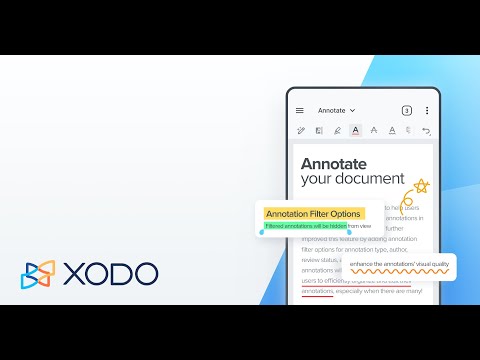
Work directly inside your files with a flexible PDF editor. Highlight, underline, draw, and add text using a PDF reader scanner and editor built for productivity.
Complete documents faster with a smart PDF form filler that can automatically detect form fields. From applications to business paperwork, this PDF reader scanner and editor helps you fill, edit, and prepare files efficiently. You can also sign PDF documents using built-in e-signature tools.
📷 Scan and digitize with a document scanner
Turn paper documents into digital files with a built-in document scanner. Capture receipts, notes, and contracts using a fast PDF document scanner that delivers clear, readable results.
This document scanner enhances images and converts them into readable PDFs. Convert scanned files into searchable PDFs with built-in OCR technology. Whether you're using a PDF document scanner for work or personal use, this PDF reader scanner and editor keeps everything organized.
🔄 Convert files with a PDF converter
Manage formats with an advanced PDF converter. Convert PDFs to Word, Excel, PowerPoint, JPG, PNG, HTML, and PDF/A, or turn images and Office files into PDFs.
This PDF converter is built into your PDF reader scanner and editor, helping you streamline workflows without switching apps.
🛠️ Advanced tools for document workflows
Crop, flatten, and compress PDFs to reduce file size for easier sharing; rotate pages, extract content, add or edit text, and redact sensitive information with this PDF form filler. Merge and split PDFs to better organize your files. This PDF reader scanner and editor gives you full control over document management in professional environments.
✍️ Fill, sign, and manage documents
Handle paperwork with a built-in PDF form filler. Fill out forms, edit content, and prepare files for sharing quickly.
You can also sign PDF documents directly in the app using secure e-signature features. Combined with a fast PDF viewer, this PDF reader scanner and editor simplifies document workflows.
☁️ Work across devices
Sync your files with cloud services and access them anytime. Whether you're using the document scanner, reviewing files in the PDF viewer, or converting documents with the PDF converter, everything stays connected.
Xodo is a PDF reader scanner and editor built for productivity — combining a document scanner, PDF form filler, PDF viewer, and PDF converter into one complete solution.
Explore the version history of PDF Reader & Editor: Xodo for Android and see how the app has evolved over time. This section tracks versions added to the apkcafe.in catalog, including download size, declared permissions, and Android compatibility. Select a time period or a point on a chart to explore historical version data.
7 new PDF Reader & Editor: Xodo versions were added to the apkcafe.in catalog in 2026. The catalog contains 57 versions dating back to June 2017.
The PDF Reader & Editor: Xodo download size for most phones increased from 35.16 MB in version 4.1.20 (2017) to 109.82 MB in version 11.3.2, a 212% increase.
PDF Reader & Editor: Xodo 11.3.2 declares 17 permissions, 6 more than version 4.1.20 from 2017 (11).
PDF Reader & Editor: Xodo 11.3.2 requires Android 7.0 or newer and is built for Android 16; version 4.1.20 from 2017 ran on Android 4.1 or newer.
Older versions of PDF Reader & Editor: Xodo. The apkcafe.in catalog has 57 versions of PDF Reader & Editor: Xodo, from 4.1.20 (Jun 2017) to PDF Reader & Editor: Xodo 11.3.2 (Nov 13, 2026). If the latest version has a bug, changed something you rely on or does not work on your phone, you can install an earlier one from the list of older PDF Reader & Editor: Xodo APK versions below.
Version 11.3.2 needs Android 7.0 or newer. On older phones: Android 5.0 runs up to version 9.3.0 (Aug 2024), Android 4.1 runs up to version 5.0.22 (Nov 2020).
Android does not install an older version over a newer one, so uninstall PDF Reader & Editor: Xodo first. This usually deletes the app's data on the phone, so back up anything you need.
Dates show when each version was added to the apkcafe.in catalog. Size is the full download for most phones; permissions are for the same build.
A permission shows what the app can access, not that it uses it.
No special hardware required.
No changes since 10.9.0.